


How to Stay Safe on Dating Sites & Apps: Security Tips Against Scams and Spam
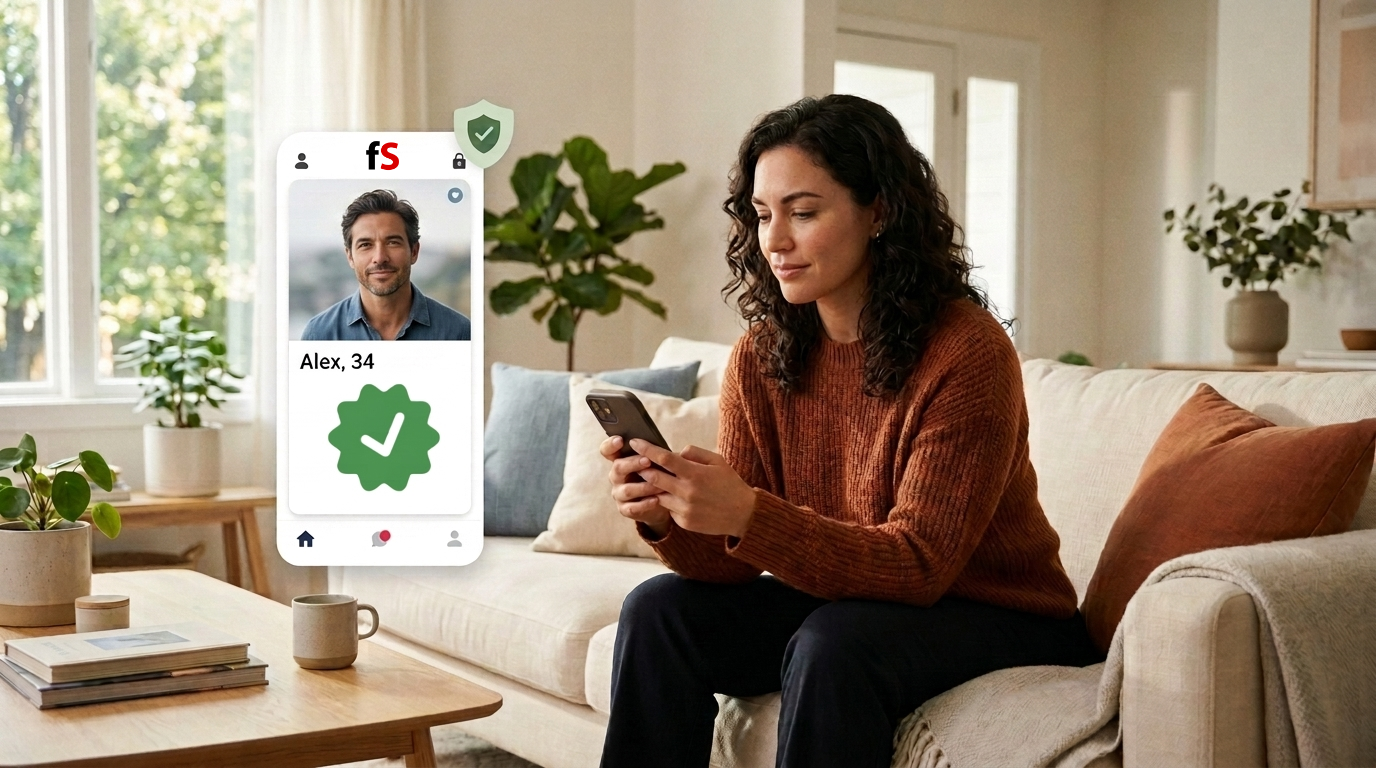

Stay confident while you date online. This friendly guide shows you how to spot scams, avoid spam, protect your privacy, and plan safer first meetings—step by step. On freshSingle, you enjoy 100% free dating with no hidden fees, plus easy singles search and a simple chat and messaging system to connect safely.
In a Nutshell
Stay in control by keeping chats in-app, using strong passwords, and limiting what you share. Check for red flags like money requests, urgency, off-app pressure, and inconsistent stories. Verify matches with a quick video chat and reverse image checks before you meet. Choose public places for first dates and tell a friend your plan. On freshSingle, you date 100% free and can block or report suspicious profiles anytime.
What should you do first when you join a new dating site or app?
A safe start means setting up your profile and account with privacy and security in mind from day one. In simple terms, you pick strong login details, choose wisely what others can see in your profile, and learn the in-app / on-site safety tools. Many singles ask, how to stay safe on dating sites and apps: security tips against scams and spam at the very beginning.
This matters because early choices shape your whole experience on online dating platforms. When you understand verification badges, privacy settings, and reporting tools upfront, you avoid common risks like spam bots or phishing links. How to approach this: think “setup, verify, and learn the safety buttons.”
Example: You create your freshSingle account, confirm your email, and explore the profile visibility controls before adding photos. You then find where to report and block profiles, so you can act fast if someone seems off. You also skim a short guide on romance scams to recognize the usual scripts.
Application: Set aside 10 minutes to review privacy, notifications, and help sections in the app menu. Turn on email confirmations, keep your recovery info current, and save the support link in your notes. Enjoy the 100% free search for singles and chat, and use in-app tools to stay safe as you connect.
How do you create a strong password?
A strong password is unique, difficult to guess, and used only for your dating account. Why? A secure password helps prevent unauthorized access. Many people wonder what makes a password strong enough for a dating profile.
This matters because attackers often use leaked passwords to access other accounts. When your dating account is well protected, your messages, photos, and matches stay private. A secure account also helps you connect with others more confidently.
You create a passphrase with at least 16 characters using random characters. Use a password manager to generate and save a unique passphrase that you do not reuse elsewhere. If you receive an unexpected login alert, change your password immediately and review your account activity.
Which privacy and visibility settings should you choose?
Privacy settings control who can see your profile, photos, and activity. Just share enough to attract real matches, not scammers. Many singles ask which visibility controls matter most on online dating platforms.
This matters because broad visibility can draw spam bots, while tighter controls reduce unwanted messages. The right balance helps you meet real people while keeping your details safe. How to approach this: start tighter, then open up if needed.
You set your location to city-level, hide your last-online time, and restrict who can message you to verified or age‑matched profiles if available. You also review how your profile looks to others and remove your full name. You use the on-site chat and message system instead of giving out your number.
Visit privacy settings and toggle off anything that reveals exact location or personal contact info. Limit profile fields to what you are comfortable sharing publicly, and keep sensitive info inside the app. Review settings monthly to match your comfort level as you meet new people.
Safe sharing means keeping personally identifiable information (PII) and location cues out of your profile and images. In simple terms, avoid last names, home address, work badges, and license plates. Many people ask which details can quietly leak identity.
This is relevant because catfishing and phishing often start with small clues pulled from bios and photos. Scammers piece together your data to guess emails or security answers. The goal is charm without oversharing.
You post clear, recent photos that avoid house numbers, school logos, or your favorite coffee shop sign. You skip mentioning your exact employer and use only your nickname. You also strip photo metadata by taking screenshots or using privacy settings.
Audit your photos for background clues and crop if needed. Keep your bio upbeat but general—interests over specifics like your daily routine. If someone presses for details too fast, keep it in-app and slow the pace.
What common scams and spam should you expect?
Common threats include romance scams, catfishing, phishing links, and automated spam bots. In simple words, romance scams play on emotions to get money, while phishing steals logins through fake links. Many users ask how to recognize these patterns early.
This is relevant because scammers reuse scripts: urgent money needs, crypto or gift card requests, and quick pushes off the app. Knowing the playbook helps you pause and protect yourself. The earlier you notice red flags, the easier it is to block and move on.
If a “match” claims they are stuck overseas and needs a wire transfer today. Another sends a shortened URL to “verify you,” which leads to a fake login page. A third writes robotic, off-topic replies typical of spam bots.
Important! Never send money or financial information, and avoid clicking unknown links. Keep the conversation inside the app or dating site and report any suspicious behavior with the built-in tools. If a message feels scripted or rushed, trust your instincts and step back. Use freshSingle’s report spam button to flag this user for review, and consider blocking them.
Which red flags in profiles and messages should you spot before meeting?
Red flags are signals of risk like urgency, inconsistencies, or pressure to move off-app. Anything that pushes speed over trust deserves a pause. Many people ask what signs matter most when reading a new profile.
This matters because early detection prevents wasted time and potential harm. Patterns like vague bios, stolen-looking photos, or too-good-to-be-true claims often predict trouble. The goal is to verify, not to judge too fast.
The bio is polished but oddly generic, and the photos appear in reverse image search tied to a celebrity or stock site. The person avoids video chat but pushes for WhatsApp “right now.” Their story changes about where they live or work.
Do a quick reverse image search on suspicious photos and ask for a short video chat. Keep conversations in-app until trust builds, and block if pressure continues. Use reporting tools so the platform can act for everyone’s safety.
How can you verify a match is real without oversharing?
Verification means checking someone’s authenticity with low-risk steps like in-app badges, video chat, or specific photo prompts. In simple terms, you confirm signals without giving away personal data. Many daters ask how to verify a match is real and not a spam bot.
This is relevant because a minute of verification can save hours of stress. Trust grows when both people feel safe and seen. A small proof point—like saying your name on a quick call—goes a long way.
You ask for a 2‑minute video chat before planning a date, or suggest a selfie holding a simple sign. Look for a profile verification badge like freshSingle’s—if the platform offers it. You compare details shared in chat with the profile for consistency.
Suggest a friendly, time-boxed video call using the app’s tools. Share only what’s needed, like your first name, and avoid sending documents or IDs. If verification is refused with excuses, thank them and move on.
Is it safer to keep chatting inside the app to avoid phishing?
Safe communication keeps you in the app and away from unknown links. freshSingle’s on-site or in-app chat system reduces phishing risk and hides your email and phone. Many users ask if staying in-app is really safer than texting.
This is relevant because scammers often push to email, SMS, or crypto chats where reporting is harder. In-app or on-site tools also make blocking and evidence collection easier. The dating platform can act on abuse faster when messages stay inside.
Let’s say a match asks you to “confirm” on a link that looks like a fake login page. You decline and suggest staying in the app for now. You then report the message as phishing so moderators can investigate.
In other words: Keep messaging in the app until trust is built and you have verified the person. Do not click shortened or odd-looking URLs, and avoid file downloads from strangers. If you must move off-app, agree on a timing plan and verify identity first.
What if someone asks for money or gifts?
Money requests are a core sign of romance scams, whether it is gift cards, crypto, or wire transfers. Never pay, no matter the story. Many dates ask how to respond kindly but firmly.
This is relevant because scammers use urgency, guilt, and high emotion to push quick payments. Saying no protects both your wallet and your peace of mind. You are not responsible for solving a stranger’s emergency.
A match claims they need “just $200 in gift cards” to fix a sudden crisis. Another “invests” in crypto and promises guaranteed returns if you join. A third asks for your banking app login to “send you money.”
Reply with a clear no, stop contact, and report the profile. Do not send images of gift cards, do not join investment schemes, and do not share financial details. If you already paid, document everything and contact your bank or card issuer at once.
How do you find, report, and block fake or spam accounts?
Safety tools let you block, mute, and report accounts that break the rules. In simple words, you protect yourself and help the community by flagging bad behavior. Many singles ask what evidence helps support teams act fast.
This is relevant because early reporting removes spam bots and fake profiles before they spread. Platforms rely on community signals to catch patterns. Quick action keeps your messages cleaner and safer.
You report a profile with mismatched photos and scripted messages, adding screenshots of suspicious links. You then block the account to stop future contact. You also note the date and time in case follow-up is needed.
Use the report button on the profile or in the chat to submit context. Include a short note and screenshots of red flags like phishing links or money asks. After reporting, block and move on so you can enjoy freshSingle stress-free.
How do you plan a safe first date with someone you met online?
A safe first date uses a public place, shared expectations, and your own transport. You keep control of time, location, and exit options. Many users ask how to get ready safely for a first date.
This is relevant because meeting offline changes risk and requires basic safeguards. Small steps like telling a friend and setting a check-in time make a big difference. Confidence grows when the plan is simple and clear.
You pick a busy café for a one-hour coffee window, arrive on your own, and keep your phone charged. You tell a friend your plan and share your live location. You keep your drink with you and trust your gut if something feels off.
Always choose a public venue, arrange your own ride, and set a time box for the first meet. Share your plan with someone you trust and send a check-in text mid-meet. If you feel uncomfortable, leave early—no explanation needed.
How do you protect your device and data while dating online?
Device security means keeping your phone updated, managing app permissions, and avoiding shared logins. In simple terms, a healthy device protects your chats and photos. Many people ask which settings matter most for privacy.
This is relevant because outdated apps and wide-open permissions increase your exposure. Strong basics reduce the chance of leaks or malware from phishing links. Your dating life stays yours when your device is locked down.
You update your OS, enable auto-updates for apps, and review permissions like location and camera. You log out of accounts on shared devices and use a screen lock with biometrics. You avoid installing apps from unknown sources.
Turn on automatic updates, review permissions monthly, and remove any app you do not use. Enable a strong screen lock and avoid saving passwords in the browser on shared computers. If a link downloads a file, delete it and scan your device.
What should you do after a suspicious link or scam contact?
Post-incident steps include stopping contact, securing accounts, and documenting evidence. In simple terms, you contain the issue and then clean up. Many daters ask what to do first after clicking a phishing link.
This is relevant because quick action can limit damage to your profile and personal data. A short checklist keeps your head clear under stress. You protect yourself and help the platform respond.
If you clicked a fake login link by mistake. You immediately change your password, and check recent activity. You report the profile, save screenshots, and alert support.
Stop contact, update passwords, and sign out of other sessions. Run a malware scan, review connected apps, and monitor for unusual emails. Report the incident in-app and keep notes of what happened and when.
Key Takeaways
- Keep chats in-app, avoid unknown links to protect your account.
- Share less in profiles and photos; verify matches with quick video calls and reverse image checks.
- Watch for red flags: money requests, urgency, off-app pressure, and inconsistent details.
- Plan first dates in public, control your transport, and tell a friend your plan.
- Use report and block tools, and remember: on freshSingle you date 100% free with no hidden costs.
FAQ
Related Posts


